|
|
TYCHE COMMUNICATIONS
an authorized freewwweb dealer
The following instructions
are intended for people who wish to retain
their America Online (AOL) account while saving access charges by
connecting through their Freewwweb Internet Service.
Locate the AOL Sign On screen shown here:
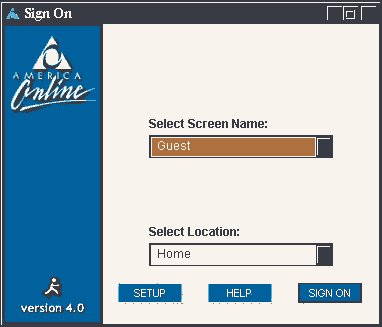
At the AOL sign on screen, click on "SETUP".
A screen similar to the following should appear:

Click on the "Create a location for use with new access
phone numbers or an ISP."
Then click on "Next." A screen similar to the following should appear:
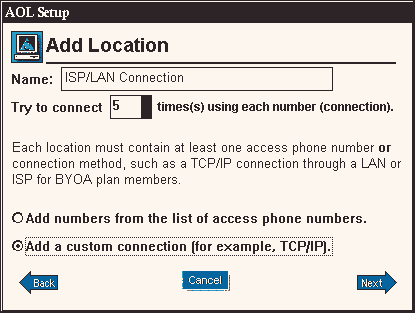
Click on the "Add a custom connection (for example, TCP/IP)". Then click on "Next".
You should receive a message similar to the following:

Click on "OK". Your sign on screen
will now have your "Connection set to ISP/LAN
Connection", as shown below:
In order to connect to America Online using your default location, simply click the drop down arrow and select "home". Your screen will now look similar to the following:
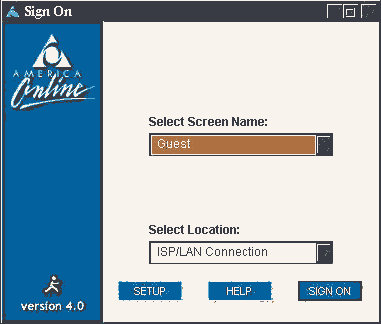
From the AOL Sign On screen, you may now sign on to AOL in the normal manner.
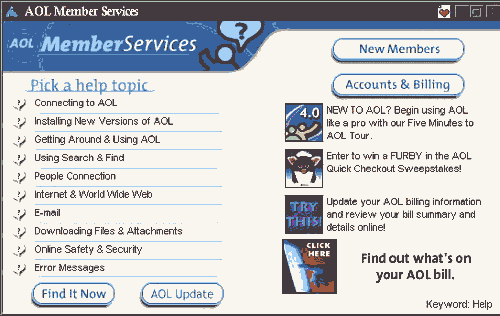
Once connected (Freewwweb will now be your ISP connecting to AOL Services), locate the AOL "Member Services" screen as shown next:

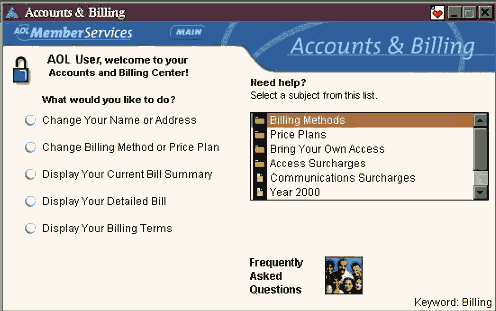
Click on "Accounts & Billing", a screen
similar to the following should appear:
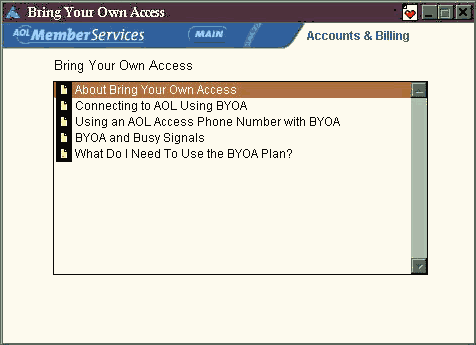
Click on "Bring Your Own Access", a screen similar
to the following should appear:
Using the instructions provided in the area below
you may complete the remaining necessary steps for setting up
your AOL BYOA Plan.